
GOULYNX / ORDAVIO
Less clutter. More clarity.
Your PC. Organized.
ORDAVIO helps you organize your Windows desktop, downloads, files, and storage with less effort. Explore smart organization tools, duplicate review, storage insights, and controlled automation workflows.
View in Microsoft StoreFor Windows · Pricing and availability are shown in Microsoft Store.
DESIGNED FOR EVERYDAY WINDOWS WORK
Depth where it is useful.
This page presents the product’s verified capabilities through genuine promotional visuals. As you continue, each available screen appears in context without requiring a gallery tab or thumbnail selection.
PRODUCT WALKTHROUGH / ORDAVIO
One screen at a time, as part of the workflow.
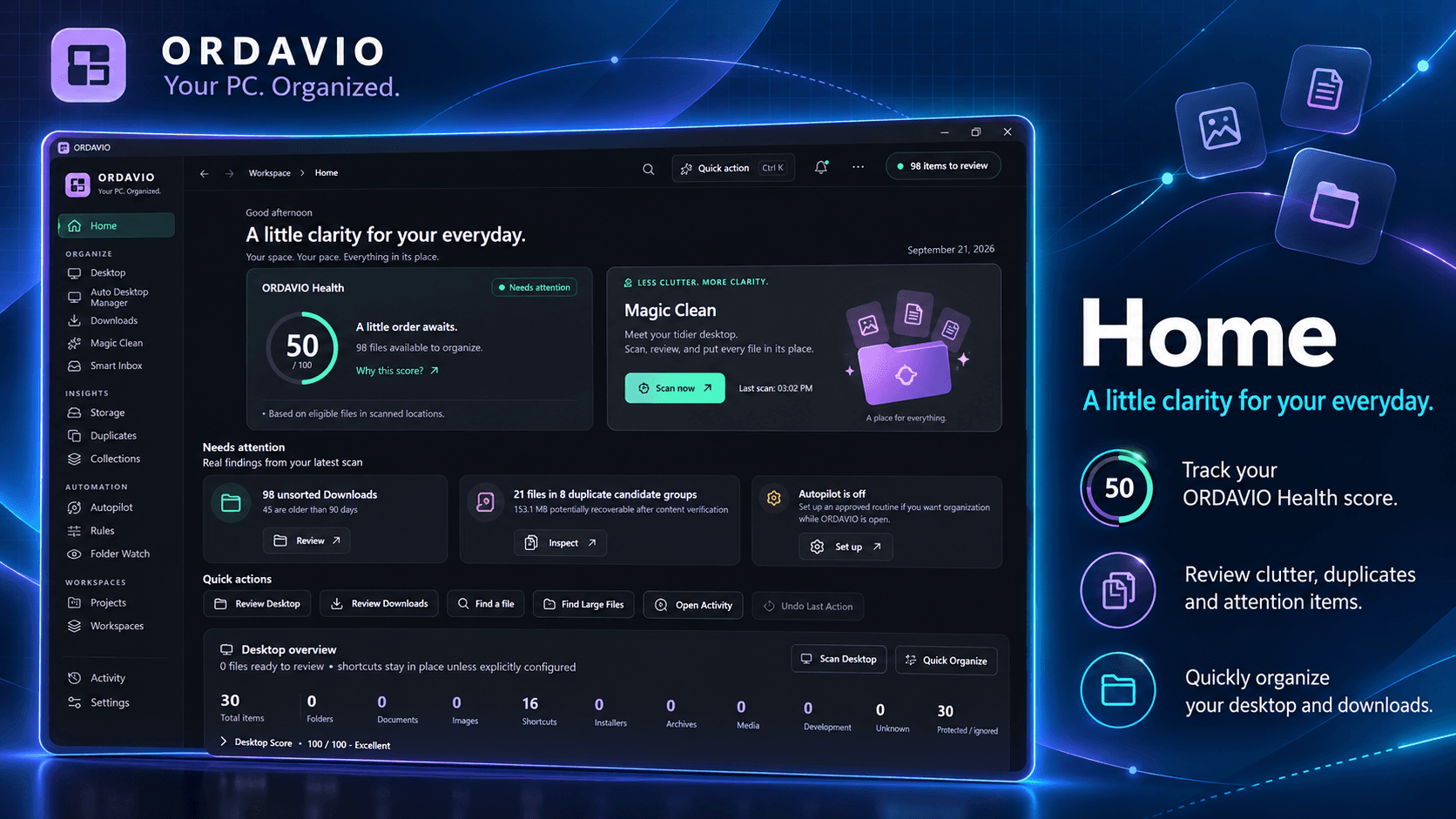
An overview before action
ORDAVIO begins with a practical view of your desktop, Downloads, folders, and storage. It is designed to make organization work understandable before you decide whether any supported change is useful.
Genuine promotional visual from the application.
Review first, then decide
Magic Clean and duplicate review are presented as review-oriented tools. They help you inspect selected items and suggested organization actions rather than promising automatic changes without user control.
Genuine promotional visual from the application.
View in Microsoft Store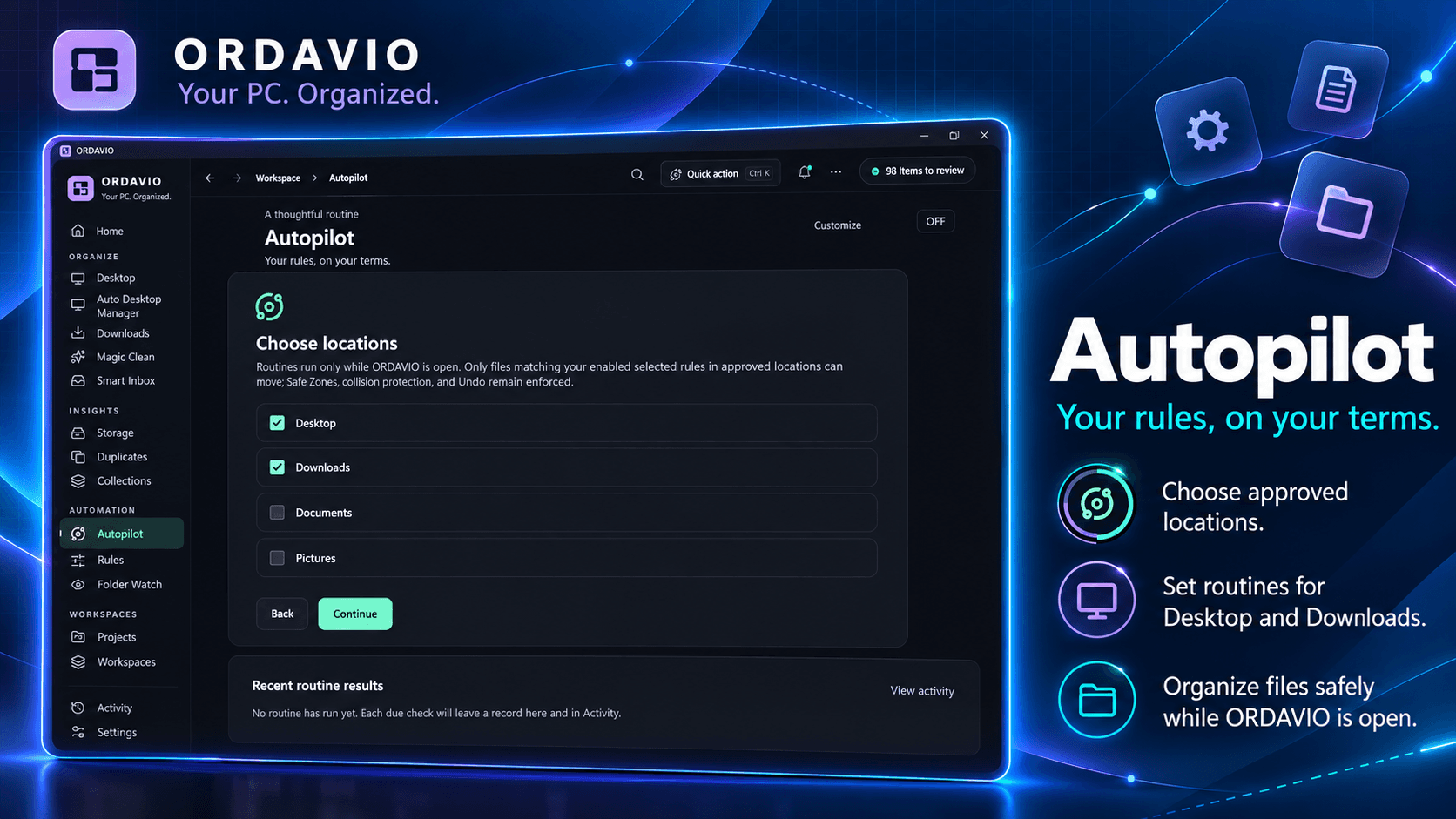
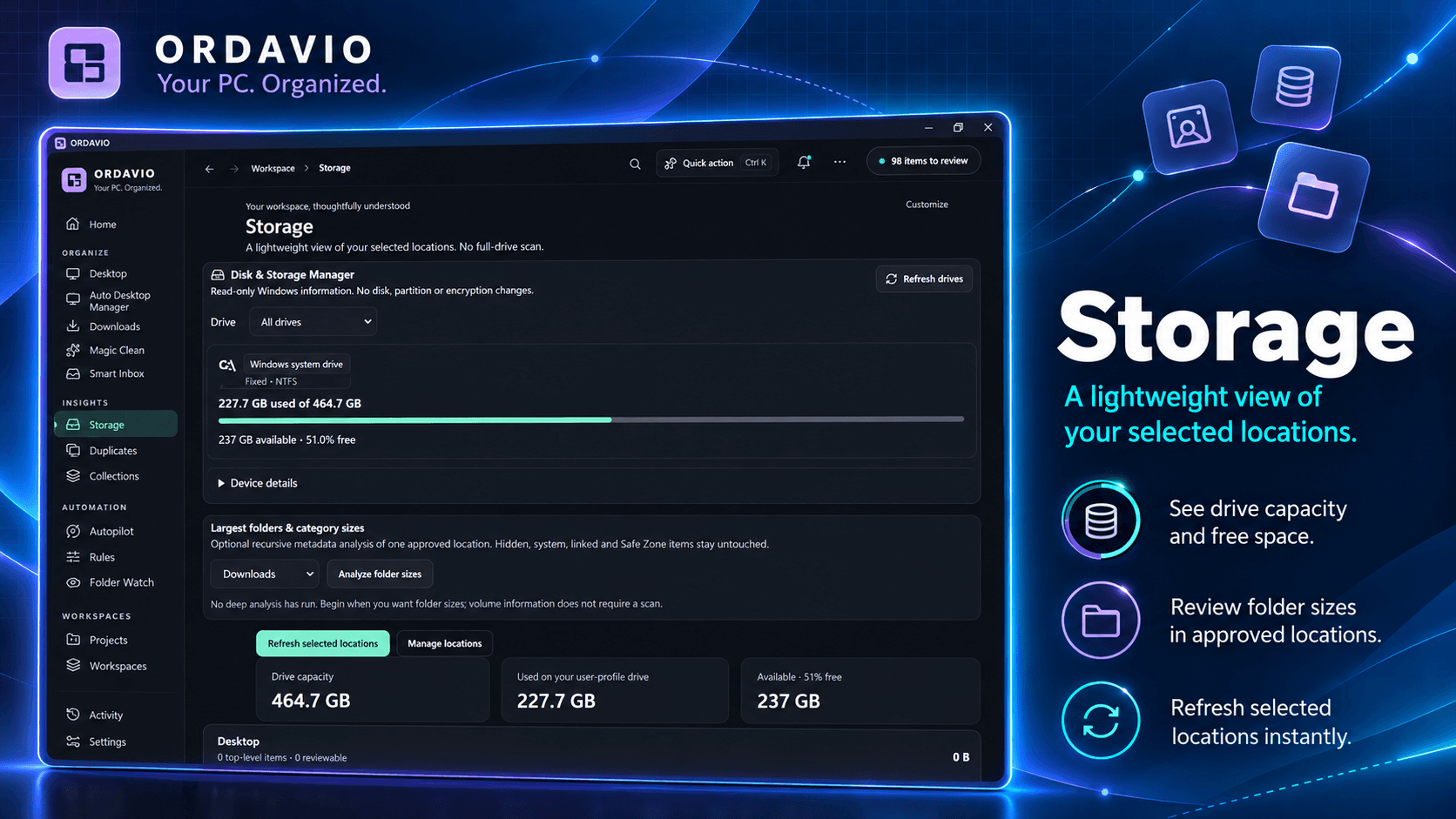
Storage in context
Storage Insights helps you review capacity, free space, and selected folder information. It gives everyday file decisions a clearer context without making unsupported claims about system optimization.
Genuine promotional visual from the application.
Autopilot with boundaries
Autopilot and organization rules support repeatable workflows for approved locations. Safe Zones and activity history keep the focus on local processing, visibility, and deliberate control.
Genuine promotional visual from the application.
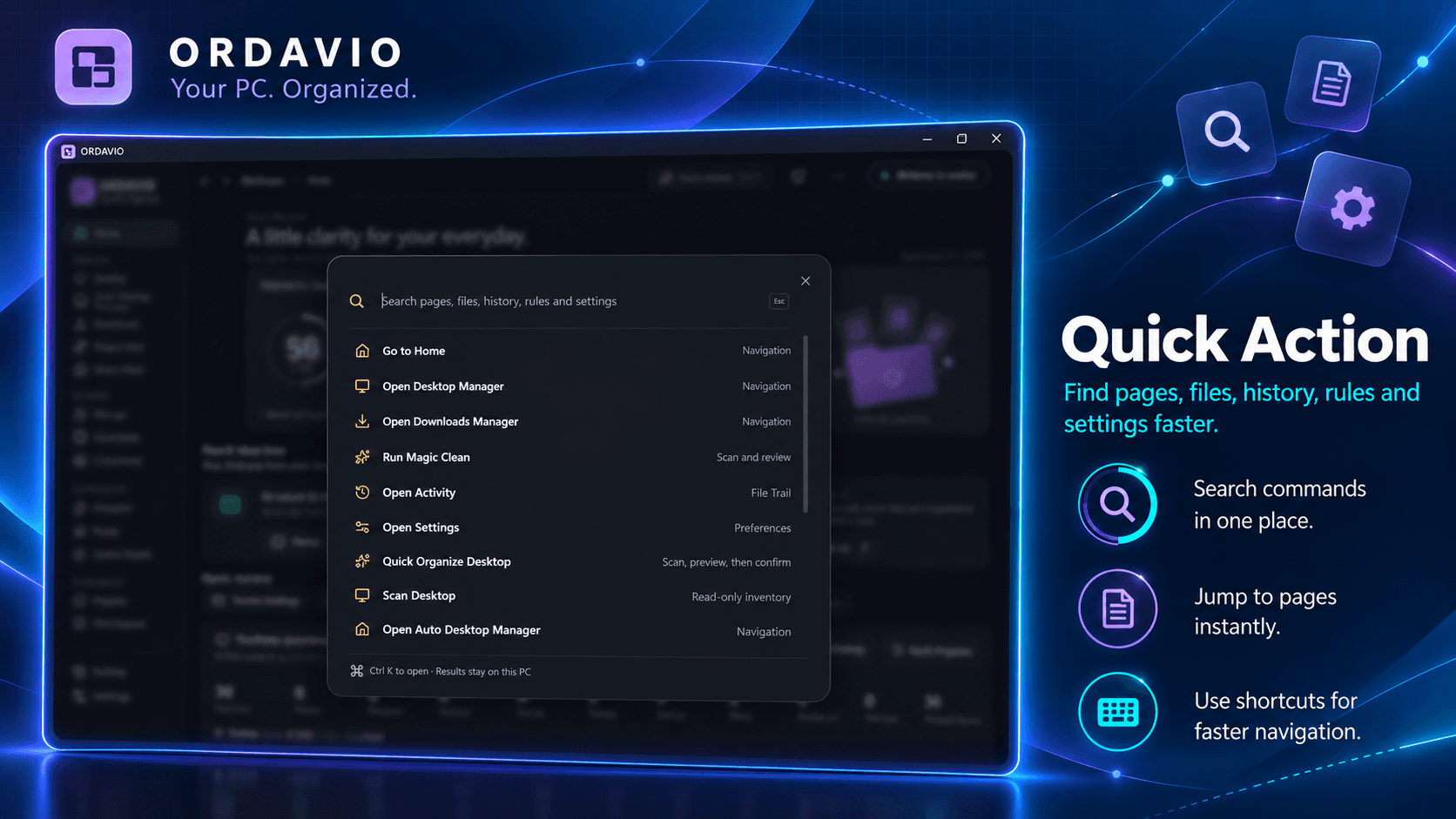
Quick Action for everyday navigation
Quick Action brings available pages and commands closer together when you need them. It complements desktop and Downloads management with a more direct way to reach supported tools.
Genuine promotional visual from the application.

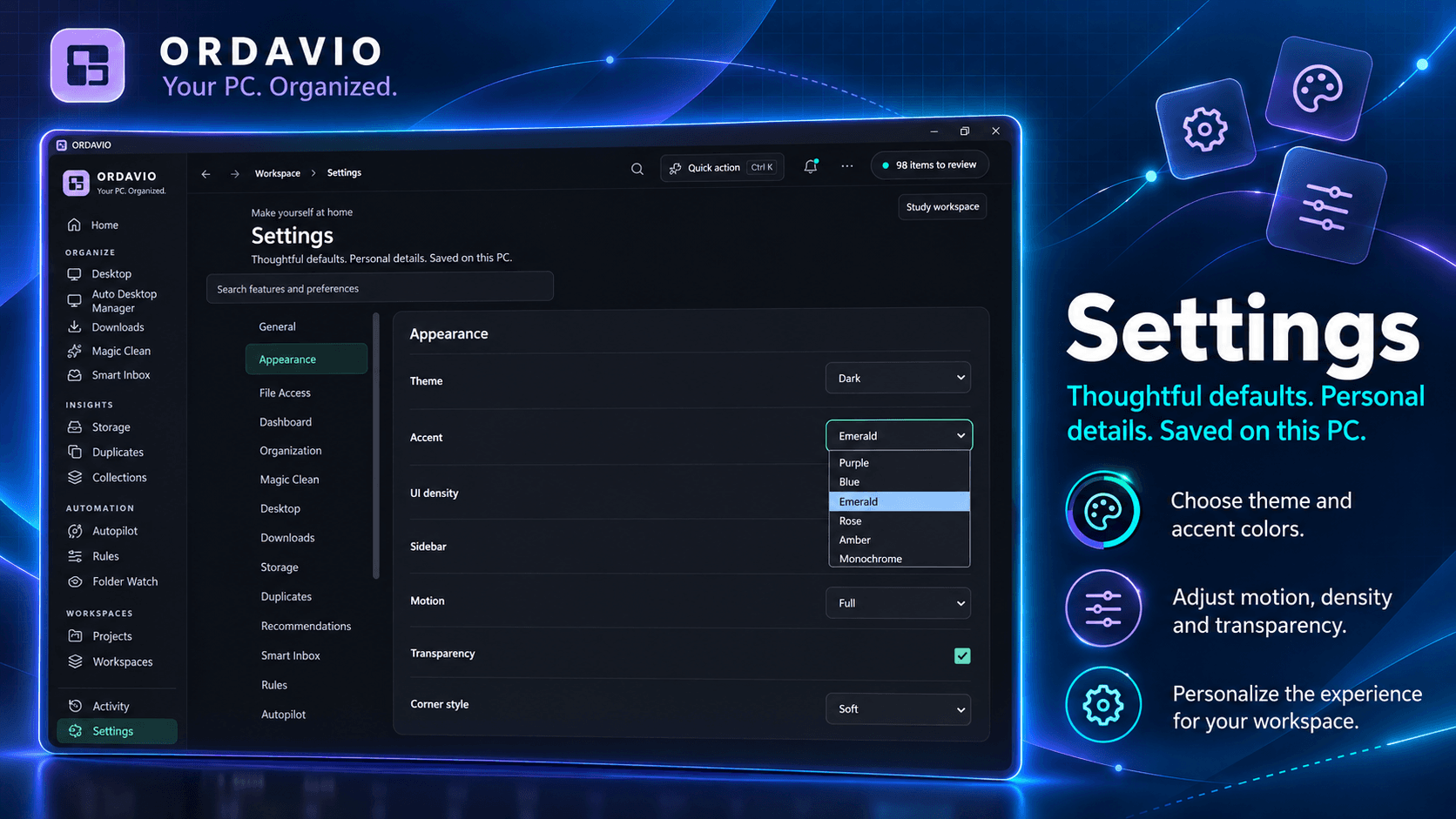
Personalize a calmer workspace
Personalization options let the surrounding workspace better match how you prefer to work. The aim is a more intentional desktop environment, not a promise that one setting fits everyone.
Genuine promotional visual from the application.
AT A GLANCE
A workspace built around ORDAVIO.
PRACTICAL QUESTIONS
Before you begin.
Does ORDAVIO make unsupported changes automatically?
Review the available features and decide whether they fit how you organize work on Windows.
What does local processing mean here?
Review the available features and decide whether they fit how you organize work on Windows.
Where do I get the current price and availability?
Pricing and availability are shown in Microsoft Store.
Ready to discover ORDAVIO?
See current details on the official Microsoft Store listing.
View in Microsoft StorePricing and availability are shown in Microsoft Store.